Walk Window vs Checking the Weather App: Why Raw Data Isn't Enough
You already check the weather before a walk. Maybe you glance at the temperature, see if rain is in the forecast, and make a gut call. That works — most of the time. But there's a gap between seeing weather numbers and knowing when to walk. That gap is what Walk Window fills.
A weather app shows you what the weather is. Walk Window tells you what the weather means for your walk.
The Weather App Experience
Here's what checking a typical weather app looks like when you're deciding whether to walk:
- Open the weather app
- Look at the current temperature: 78°F
- Scroll to the hourly forecast
- See it's going to hit 85°F at 2 PM
- Check rain chances: 30% at 4 PM
- Glance at wind: 12 mph
- Make a mental judgment: "It's warm but not too bad. I'll go now before it gets hotter."
This process asks you to:
- Know what temperature range you're comfortable in
- Mentally factor in wind and humidity (most people skip these)
- Read precipitation chances correctly (30% doesn't mean "probably not")
- Compare a handful of hours to find the best one
- Ignore anything you can't see (heat index, UV, air quality)
- If you walk a dog, guess pavement temperature from air temperature (you can't)
It takes a couple of minutes, involves guesswork, and quietly misses things that matter for the walk.
The Walk Window Experience
Here's the same decision with Walk Window:
- Open the app
- See today's best window — say, 6 PM to 8 PM, marked Good Window
- See right now — marked Fair, with a note that the evening is better
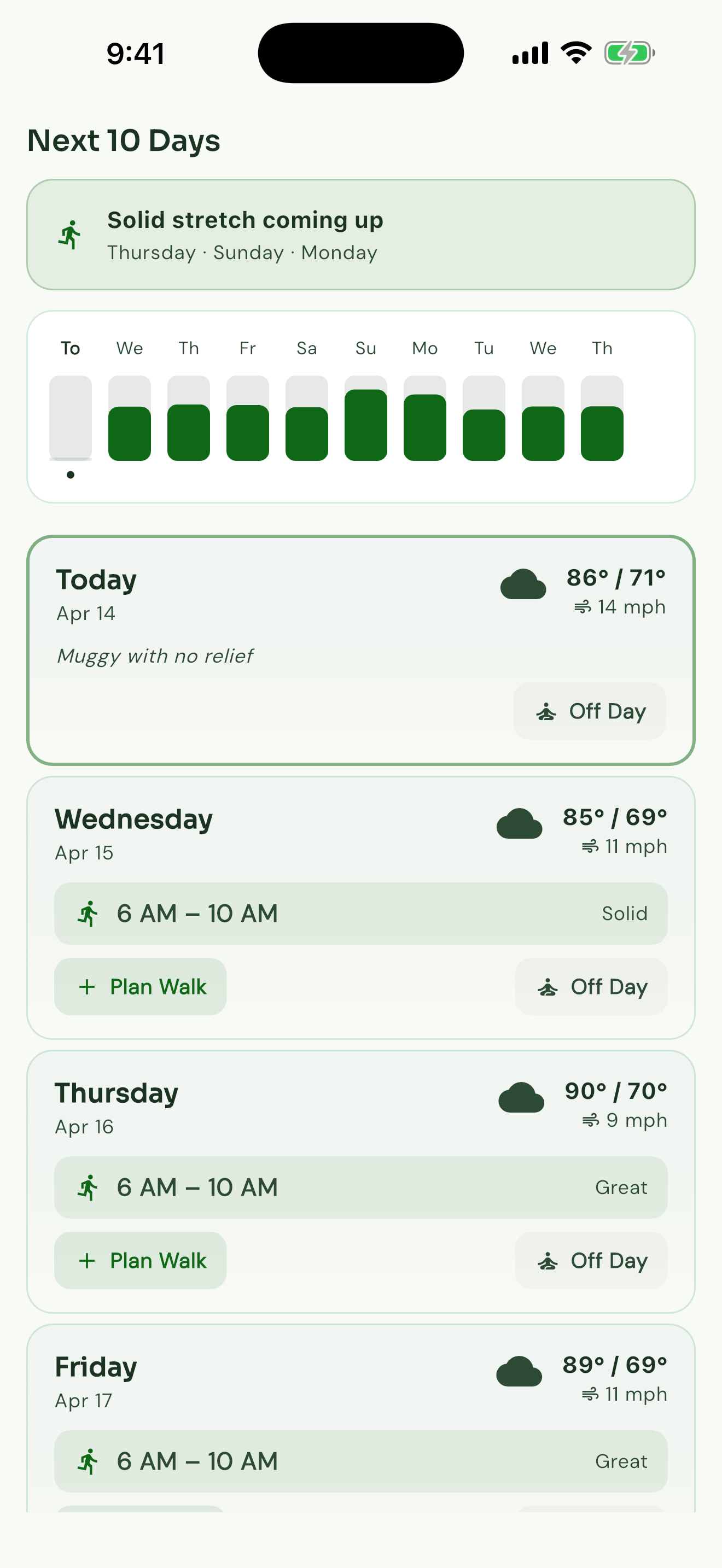
- See the hour-by-hour timeline with a simple verdict on every hour
- If you walk a dog, see pavement safety badges — right now is yellow (caution), 6 PM is green (safe)
Time to decision: a few seconds. No mental math. The call is already made.
Side-by-Side Comparison
Here's a typical summer day.
What the Weather App Shows You
| Time | Temp | Wind | Humidity | Rain % | |------|------|------|----------|--------| | 8 AM | 75°F | 5 mph | 65% | 10% | | 10 AM | 80°F | 8 mph | 58% | 5% | | 12 PM | 85°F | 10 mph | 50% | 5% | | 2 PM | 88°F | 12 mph | 48% | 15% | | 4 PM | 86°F | 10 mph | 52% | 30% | | 6 PM | 82°F | 8 mph | 55% | 20% | | 8 PM | 77°F | 5 mph | 62% | 10% |
Looking at this, you might pick 8 AM (coolest) or maybe 10 AM. Reasonable guesses.
What Walk Window Shows You
| Time | Walk Window | |------|-------------| | 8 AM | Go Walk Now | | 10 AM | Good Window | | 12 PM | Fair | | 2 PM | Skip Today | | 4 PM | Skip Today | | 6 PM | Fair | | 8 PM | Good Window |
Walk Window agrees that 8 AM is your best hour — and surfaces 8 PM as a second window you might not have considered. It also says clearly that 2 PM and 4 PM aren't worth it, even though the weather app's raw numbers don't shout "bad."
Why does 2 PM read so poorly? Because Walk Window reads the heat index (88°F plus 48% humidity feels more like 91°F), the steady 12 mph wind (which whips up dust and discomfort even while it cools), and the rising storm chance. The raw numbers look manageable. The combined effect isn't great for a walk.
Dog Walker Bonus: Pavement Safety
A weather app can't tell you this. Walk Window can:
| Time | Pavement Status | Estimated Surface Temp | |------|----------------|----------------------| | 8 AM | Green (Safe) | ~95°F | | 10 AM | Yellow (Caution) | ~120°F | | 12 PM | Red (Danger) | ~140°F | | 2 PM | Red (Danger) | ~150°F | | 4 PM | Red (Danger) | ~145°F | | 6 PM | Yellow (Caution) | ~125°F | | 8 PM | Green (Safe) | ~100°F |
For a dog walker, this changes the whole picture. The 10 AM window that looked "good" on the weather app is already hot enough to hurt paws — see pavement temperature and dog walking. Only the 8 AM and 8 PM windows are truly safe.
Five Things Walk Window Catches That Weather Apps Miss
1. The Feels-Like Gap
Weather apps show air temperature. Walk Window uses feels-like temperature, which folds in wind chill (in cold) and heat index (in warm weather). The gap between actual and feels-like can be 10 to 20°F — enough to turn a comfortable walk into a miserable one.
2. Hour-to-Hour at a Glance
Weather apps show you individual hours. Walk Window ranks them. Seeing a clear Go Walk Now at 8 AM next to a Fair at noon is immediately actionable. Seeing 75°F at 8 AM and 85°F at 12 PM puts the comparison work back on you — and temperature is only one piece.
3. The Kind of Walker You Are
A weather app shows the same numbers to everyone. Walk Window reads the day for the kind of walker you are.
A 55°F morning with 15 mph wind reads two different ways:
- General Walker: the wind is noticeable and makes it feel chilly — Fair
- Higher-effort walker (brisk walking or weighted walking): the wind helps with cooling, and the cooler temperature sits well — Good Window
Same weather. Different call. Because different walkers want different things.
4. Pavement Temperature
No weather app shows pavement temperature. Walk Window does, using air temperature, sun, cloud cover, and time of day. For the 25+ million dog owners who walk their dogs daily, this is safety information that simply isn't in a standard weather app.
5. Nudges When It Matters
A weather app can tell you it's going to rain tomorrow. Walk Window tells you:
- "Standout Day Tomorrow" — conditions are noticeably better than the rest of the week. Don't miss it.
- "Your planned walk might not work" — a front is moving in and your afternoon window is fading. Consider going earlier.
- "Earlier window available" — tomorrow morning improved overnight. You could head out at 7 AM instead of your usual 9 AM.
- "Pavement alert" — the pavement is getting hot during your usual dog-walk time.
These are walking-specific nudges that depend on knowing you, your schedule, and your dog. A weather app doesn't know any of that. Walk Window does.
When a Weather App Is Enough
To be fair, a weather app works fine in plenty of situations:
- Perfect weather days — when it's 65°F and sunny, you don't need a verdict to tell you to head out
- Obvious bad weather — thunderstorms, blizzards, heat advisories
- Indoor walkers — if you're on a treadmill, the weather doesn't matter
- Very casual walkers — if you walk once a week and aren't particular about conditions
Walk Window's value shows up for regular walkers who want to time it right — people who walk most days and want the best hour, dog walkers who need pavement safety, brisker walkers who care which window suits them, and anyone in a place where the "best" hour shifts day to day.
The Real Comparison
The question isn't "weather app or Walk Window." You'll still check the weather for general purposes. The question is whether you want to spend a couple of minutes interpreting numbers and guessing when to walk — or spend a few seconds seeing exactly when your window is.
For a walk window to be worth anything, it has to be faster and steadier than your own judgment. Once you factor in temperature, wind, humidity, UV, air quality, precipitation, and pavement temperature, the call gets complicated enough that a purpose-built app beats a glance at the thermometer.
Walk Window doesn't replace your weather app. It replaces the mental gymnastics between checking the weather and deciding when to walk.
Frequently Asked Questions
Does Walk Window use the same weather data as my weather app?
Walk Window uses Open-Meteo for forecast data, which pulls from the same global weather sources (GFS, ECMWF, etc.) that power most consumer weather apps. The underlying forecast is similar — the difference is what we do with it.
Can I still see the raw weather in Walk Window?
Yes. The hourly timeline shows temperature, wind, humidity, and other conditions alongside the walk window. You see both the call and the conditions behind it.
How does Walk Window decide when to walk?
It reads today's forecast through the lens of what makes a walk comfortable — feels-like temperature, wind, humidity, sun, rain, and (for dog walkers) pavement heat. Then it tells you the best window in plain words: Go Walk Now, Good Window, Fair, Short Walk Only, or Skip Today. Over time, if you tell it the call was off, it adjusts to you.
Is Walk Window free?
Walk Window is $3.99/month or $19.99/year, with a 7-day free trial. The subscription covers the daily walk window, nudges, pavement monitoring, and your own settings.